Behold! I launched my first web app using AI in under 2 hours, including the time it took to make and eat breakfast.
I got it up and running super fast, published it, and now I’m on the hook for server fees. Eek, it’s real. Here’s how I did it.
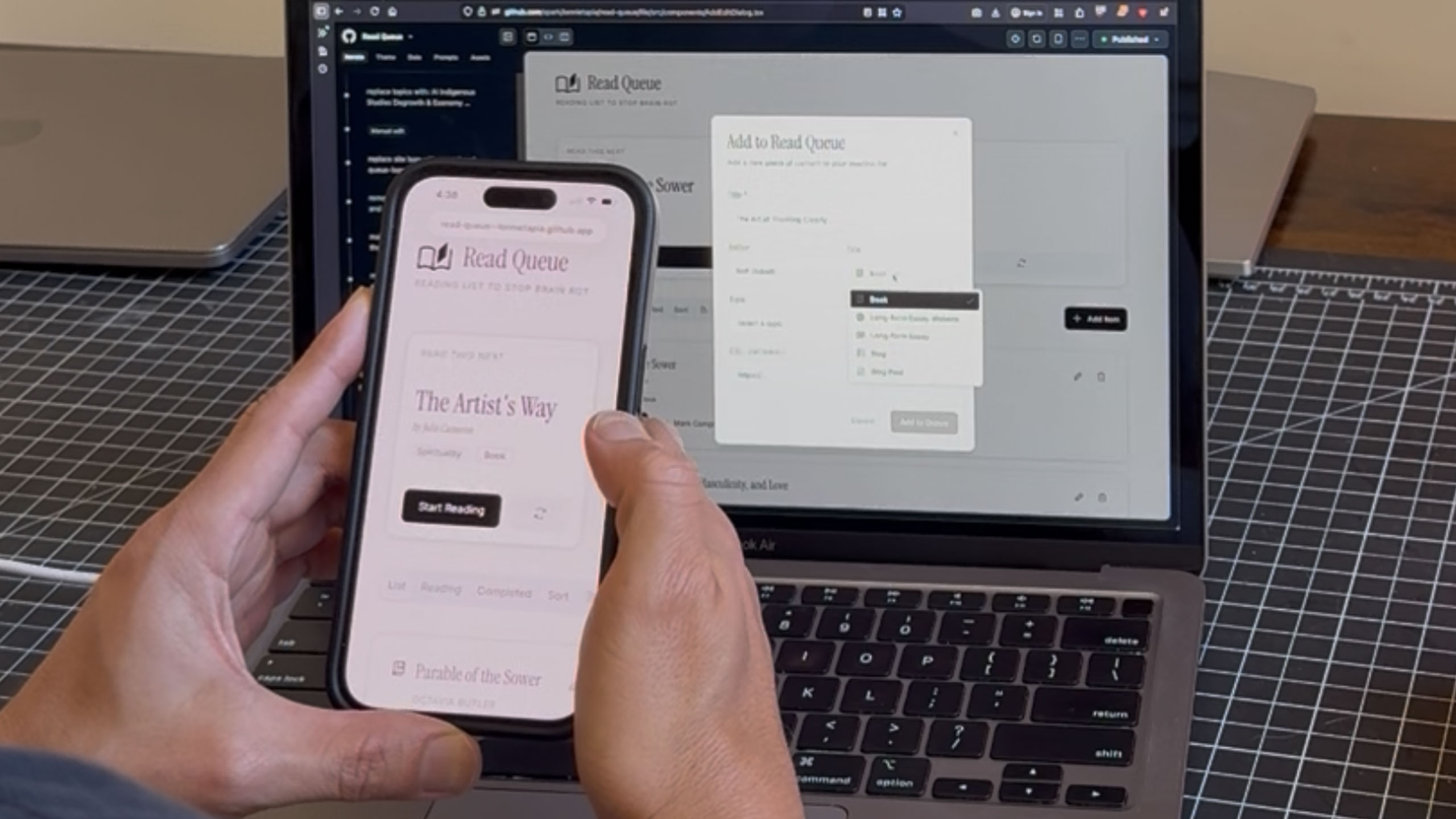 Vibe coding on a laptop and viewing the live web app less than 2 hours later on a phone
Table of Contents
- Why this app? Why now?
- Process – vibe coding for speed
- Timestamps
- Tools I used
- Money spent
- Lessons learned
Why this app? Why now?
My goal was two-fold.
First, I wanted to replace my mindless phone-scrolling habit on Instagram and TikTok with an easy-to-access reading list. I have a super messy Apple Note filled with book suggestions (for fun and for serious) plus an uncategorized running list of websites and blogs with long-form essays.
I wanted a functional … thing—an app, just a web app maybe?—that would organize my chaotic list and suggest the next thing to read. I thought it might be helpful to get notified of new long-form essays or blog posts with a summary of what’s new. Sometimes the sites I visit don’t update that regularly, and sometimes I have a desire to read up on a specific topic, for fun or because I’m deep in research mode. Oh, and sometimes I only have a few minutes, so a suggestion of what to read next would save me from combing through my very long note.
Two: I learn by doing. As a design director, it’s my job to stay current on what’s possible in the design world. I use AI a ton in my everyday tasks, but I hadn’t yet produced my own app from start to finish. This seemed like a nice, digestible idea to knock out in a weekend.
Process – vibe coding for speed
5:30am I wake up on a Sunday refreshed and eager to create something. Last week I wrote down a few potential ideas for apps I could vibe code and tried using Cursor.
I hit a roadblock when it came to some server and back-end decisions it asked me to make.
But today I’m scrolling the internet and come across a vibe coder for micro tasks from GitHub. It’s called GitHub Spark and its purpose is to enable anyone to create software themselves.
I check it out, they show examples of basic apps, including a map app made by a 10-year-old. I’ve found the one!
My main blocker was figuring out the server stuff, and if this AI vibe coding app can handle hosting, data, and deployment, I’m in!
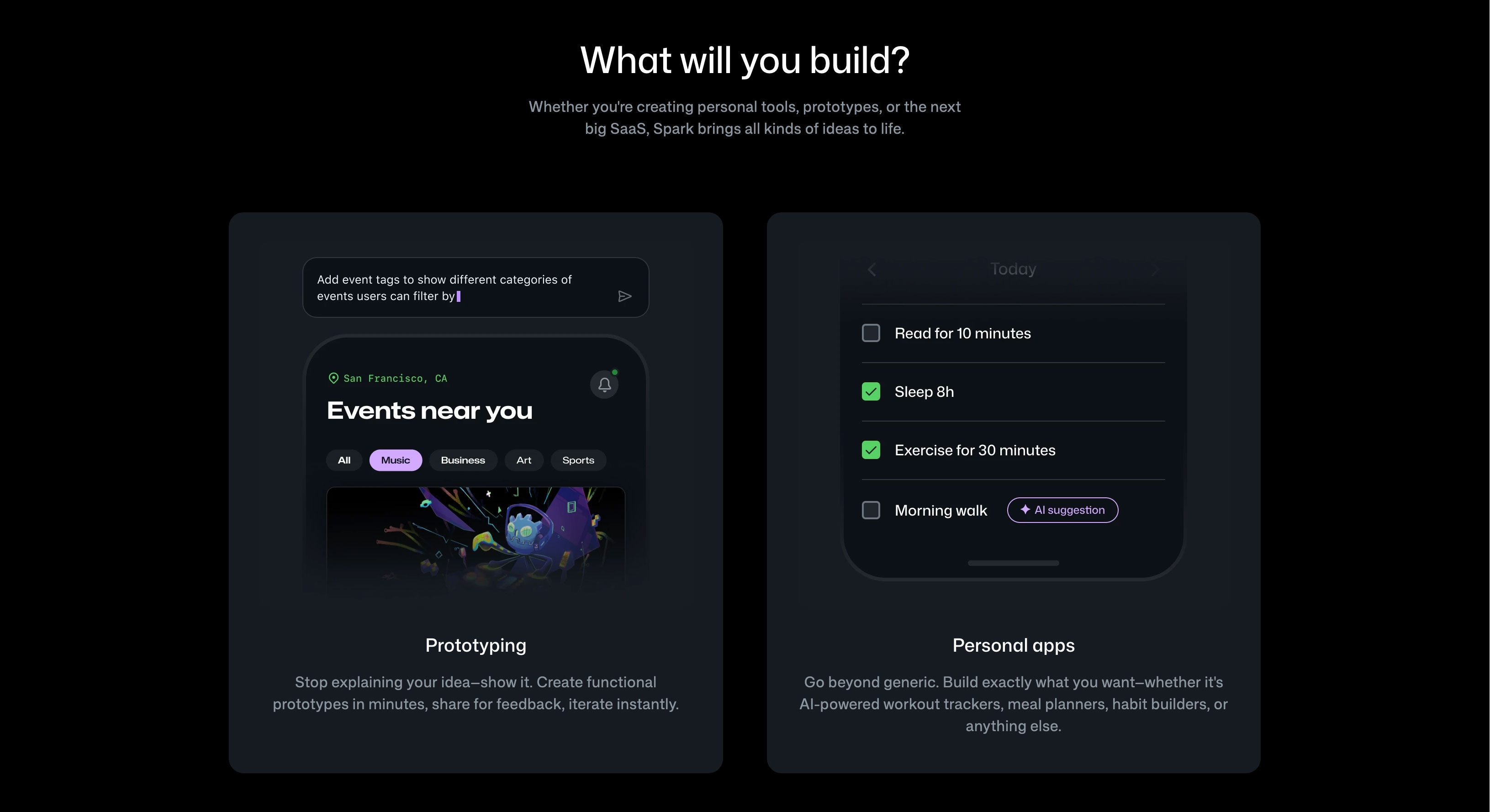 Spark handles all the server stuff so you can focus on the idea.
With GitHub Spark you can “go back in time” as you build, so if you mess anything up you can revert to a previous version. I end up using this a few times when my design tweaks break something.
6:55am I pour a cup of coffee and sit down at my laptop. No second monitor today. I want a cozy experience.
I add GitHub Spark’s URL to a note I keep for AI tools when the idea hits me. I can make a micro app to organize my reading list: AI reads, sci-fi, BIPOC futurism, indigenous learning (my ancestors are Tewa), and so on and so forth…
I ditch all my previous app ideas and scribble a few notes:
a tracker to store, view, and maintain long-form reading material — one that can suggest what to read next and pull summaries of recent articles.
reading list: books, long-form essay websites, blogs
topics: degrowth, artists & designers, indigenous
7am I fire up Claude because I need help framing this for a vibe coding tool. I want to refine my thoughts before jumping in. In the past I’ve asked Claude to help me write full PRDs for app ideas. They were great, but the ideas were always too big. Today I wanted something smaller for a micro site.
I ask Claude this and include my scribbled description:
help me speak to a vibecode app builder. here’s a rough idea i want to build. the first thing i need is a name. i also have a huge note on my phone with lots of materials to add once i start building it
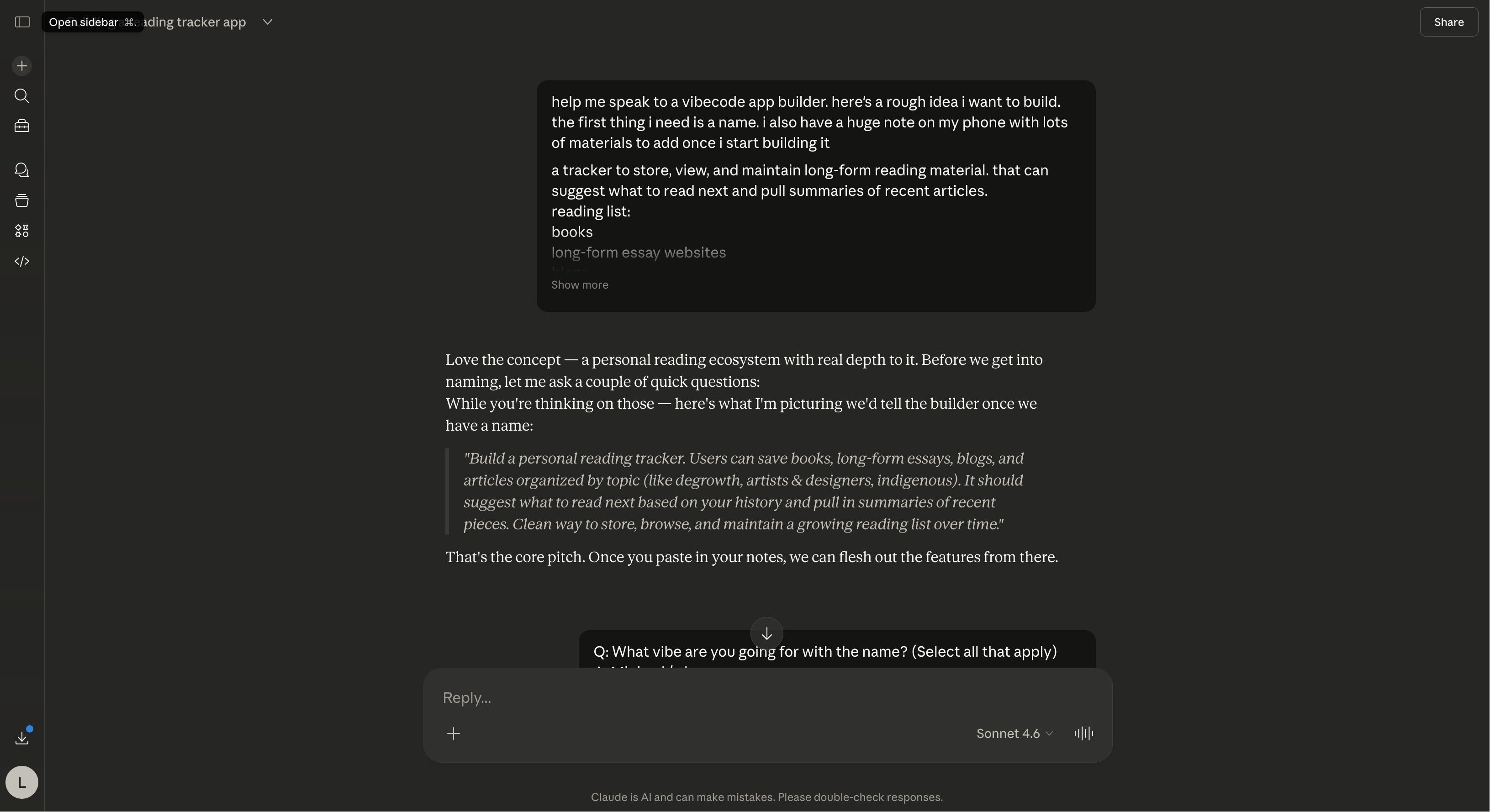 Claude was supportive and concise in it’s help.
Claude asks me a few clarifying questions about style and users.
7:23am I log in to my GitHub account. I realize it’s been a few years since I used it and my email is set to an old job. That won’t do. I update my email, purchase a month of Spark with Copilot Pro+ for $39 USD, and set a calendar reminder to cancel in 28 days just in case I end up not loving it.
In Spark, I write my first vibe code prompt, basically a request of what I want in conversational English.
Create a web app called Read Queue, a personal reading tracker for a list of books, long-form essays, and blogs I curate. Organize it by topic. Suggest what to read next when I login, and surface summaries of recent long-form essays available from the blogs and site URLs I track. The app should be a calm, focused space to build and maintain an intentional reading life for life on the go.
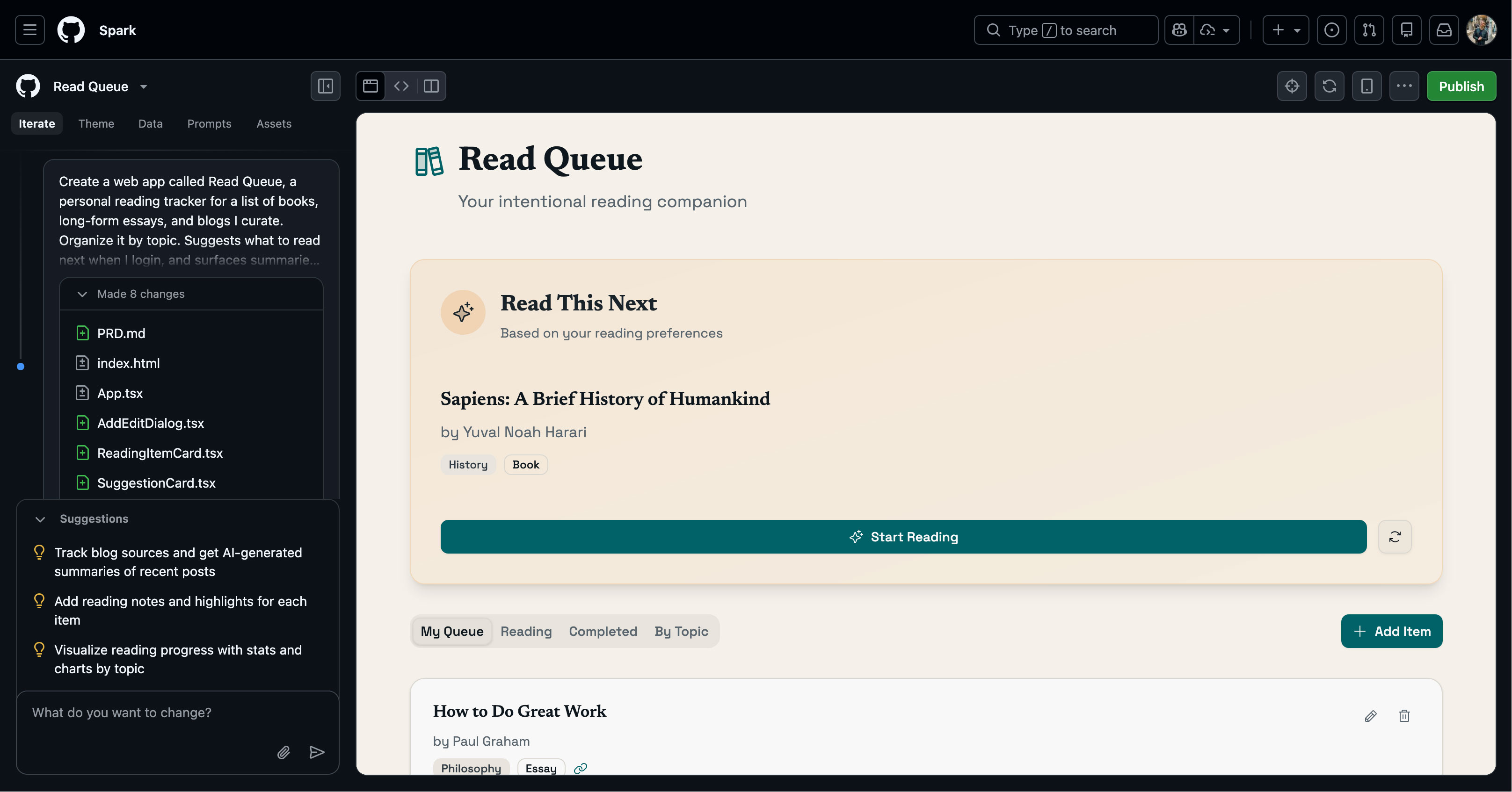 GitHub Spark generated this web app after I fed it my first vibe code prompt.
This part takes a while. Spark thinks through what I asked, shares little snippets of what it’s doing in the background to set up secure servers and more. I make breakfast and eat while it does its thing. It takes about 15 minutes to warm up my oatmeal and scramble 4 egg whites. I eat while answering some questions Spark has for me.
But then it’s ready.
I hit publish. Then push my chair away from my desk. I did it. I actually did it.
The site doesn’t look great. Tbh it feels a bit like Goodreads (is Goodreads still around?). But I need a moment to process what just happened.
I take a break at 8:47am and realize that in only 1 hour and 47 minutes, I launched my first web app.
I chat with my husband and say goodbye as he leaves for his volunteer shift.
9am I sit back down and start working on the visuals.
I want it to feel editorial, not old-timey, maybe like Co-Star or Teen Vogue. I want a clean site with long, slender serif type and find one on Google Fonts called Instrument Serif.
Perfect.
9–10:54am For the next hour I iterate on a few visual pieces:
- A dashboard for when you land on the app, with 2 states: empty and with a suggested reading source
- A pop-up module for adding a reading source
- Some general styling
I’d heard about Stitch from Google, where you can use conversational language to build screens.
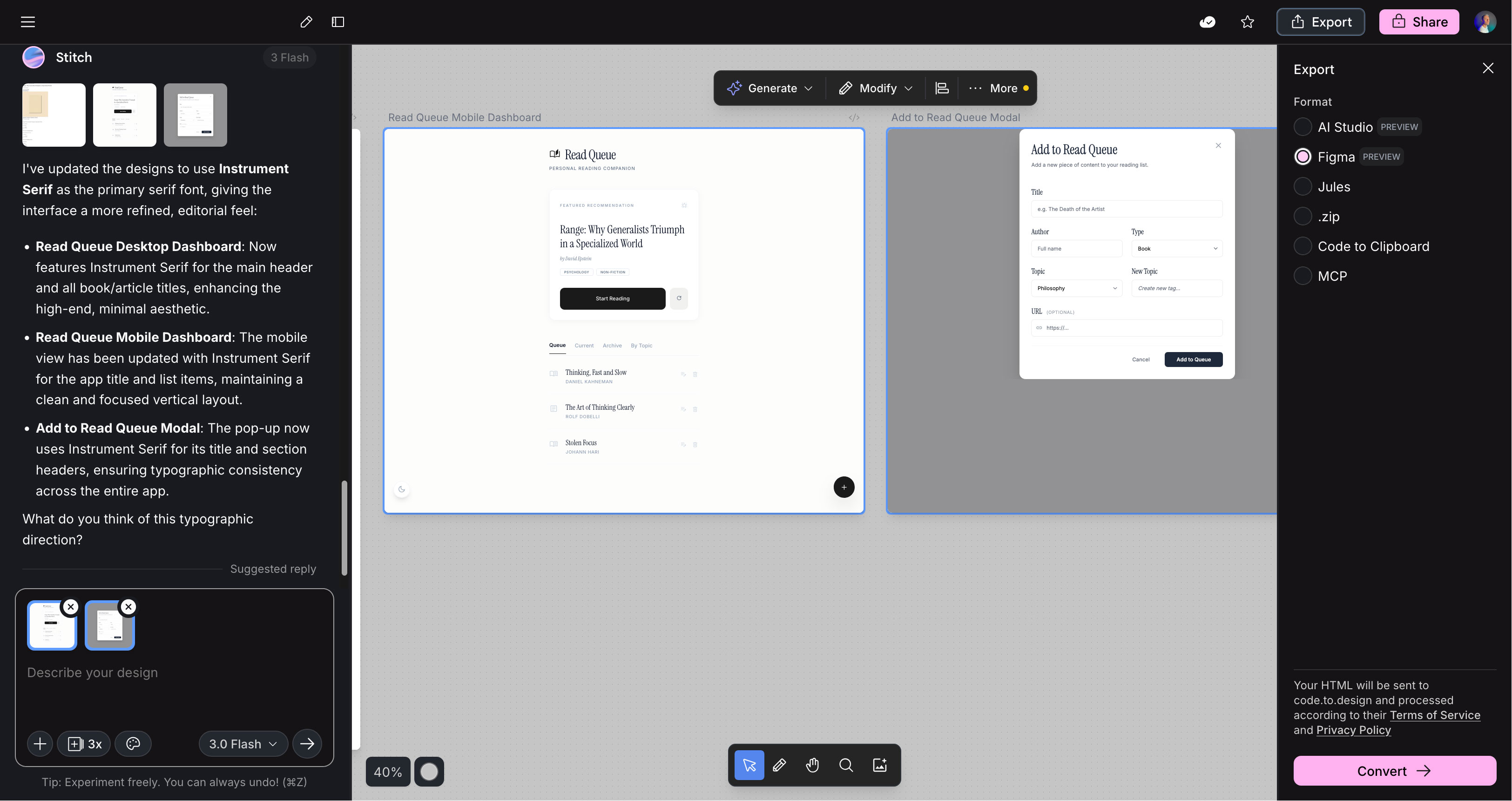 Stitch with Google
This tool is awesome. I upload a single reference screenshot featuring a long slender serif, along with my original prompt from Spark. Stitch generates a few screens in about 20 seconds. I like two of them, select them, right-click, and realize I can export to Figma. What? Yes. I can fine-tune things there.
I open Figma and hit Command+C to paste the export from Google Stitch. It’s there!
The logo Spark made was way better than what Stitch came up with, so I export it as an SVG and upload it to my assets in Spark.
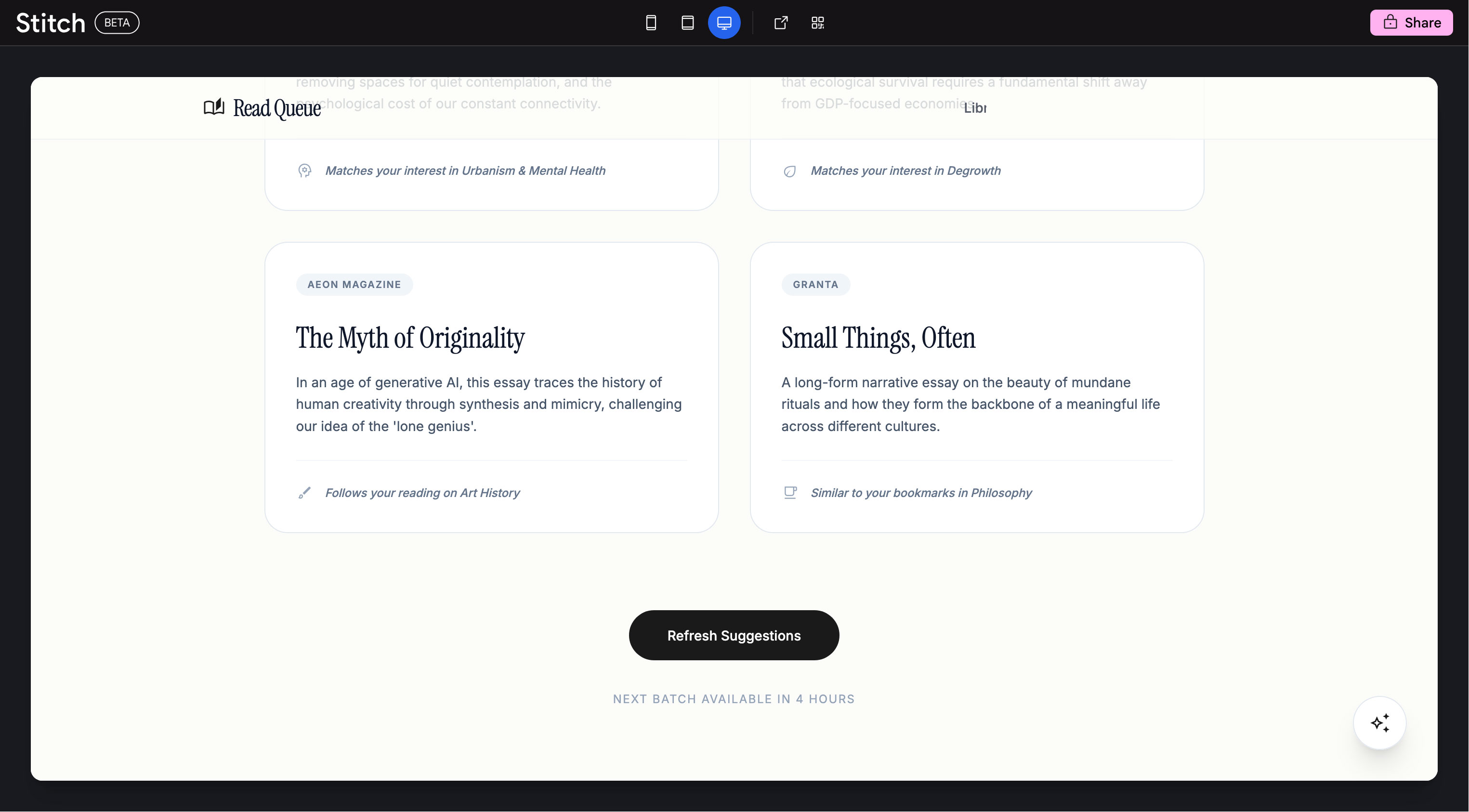
For the next 54 minutes I tweak the design in Stitch & Spark. I try uploading my screens but ended up breaking my app. I hit the Restore button twice to go back to a previous build. From there, I click on components and adjust them using natural language prompts, or update the style sheets directly in Spark’s theme tab for fonts, sizes, and styles. I find that cards and blocks of text work best when updated through prompts, since I have a lot of specific design tweaks.
At this point I pull myself away. I know I could update this all day. But a trip to the gym to celebrate is in order, and somebody needs a haircut.
Here’s a quick snapshot of my vibe code process:
Vibe Code Process:
- Concept development: Scribbled some notes on what I wanted and basic categories
- PRD: Quick 10-minute brainstorm with Claude to refine initial vibe code instructions, core features, design description, users, and some names
- Vibe coding: Done in GitHub Spark, because it handles security decisions, server decisions, and self-hosting on GitHub
- Visual design, part 1: Starting with a reference, used Google Stitch to iterate a few basic screens
- Visual design, part 2: Exported key Google Stitch screens to Figma, grabbed styling info to feed back into GitHub Spark, exported some SVGs
- Vibe code: Updated SVGs, design system styles, and content blocks
Timestamps
Time from inception to deploy:
1 hour 47 min
Time spent on UI & tweaking:
1 hour 54 min
Tools I used
Money spent
$39 for GitHub Copilot Pro+ (one month)
$5 for server usage so far — eek!
Lessons learned
Once I found the tools that worked for me, this went pretty quick. I found myself watching videos of other people vibe coding and got frustrated with myself for not moving faster on my own journey.
Prompting Spark to edit features was really satisfying, maybe even a little addicting. Having a basic plan from Claude upfront helped smooth out some rough edges in my original idea.
I would have kept tweaking the design forever, so I’m glad I found a stopping point and walked away.
Future updates I want to make:
- Exploring a login feature so other people can use the app and so my bookmarks stay private to me
- Adding illustration to the design system to make it feel a little friendlier
- Fixing the width of the secondary cards and subnav so it doesn’t scroll horizontally
Thank you for reading this far! If you’d like to follow my work as a design director and artist, please subscribe to my Substack.
Cheers, friends!